
Applies to the Adobe InDesign plug-in version 29 or later
The Run InDesign script workflow action is equivalent to running a script from InDesign's Script panel.
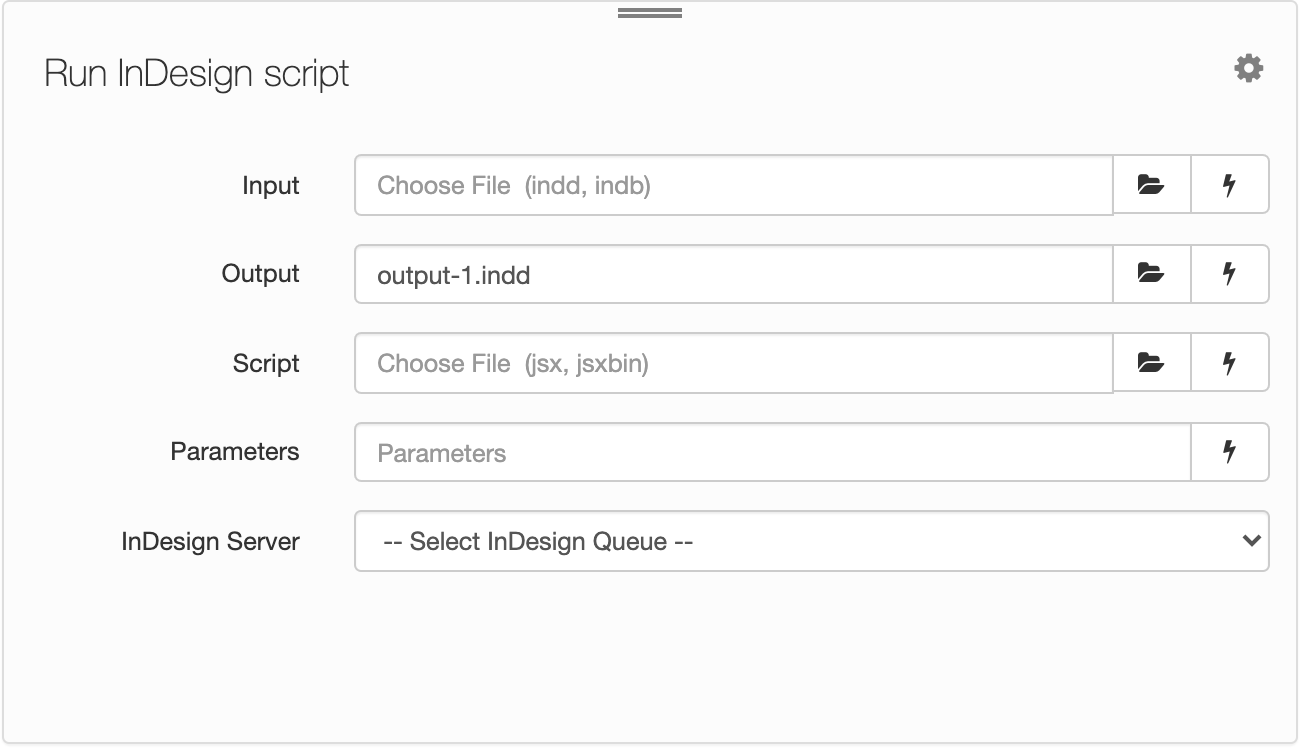
| Field | Description |
|---|---|
| Input | The file path to the input InDesign document (.indd) or book (.indb). Click the Choose File icon  to choose the input InDesign file. Alternatively, enter the file path to the input file—for example, /Input/my-input.indd. to choose the input InDesign file. Alternatively, enter the file path to the input file—for example, /Input/my-input.indd. |
| Output | The file path to the output InDesign document (.indd) or book (.indb). Enter the file path to the output InDesign document or book. Alternatively, click Choose File to choose an output from the pop-up menu. The default output is output-1.indd. |
| Script | The file path to the InDesign script (.js, .jsx, or .jsxbin). Click Choose File to choose the script to be run. Alternatively, enter the file path to the script. For example, /Scripts/my-script.jsx. |
| Parameters | Enter any optional parameters to pass to the script. Use JavaScript Object Notation (JSON). |
| InDesign Server | Choose the InDesign Server or Blinkenlights queue. |
You can also use workflow variables to specify input fields. To insert a workflow variable, click the lightning bolt icon  and choose a variable from the pop-up menu.
Comments
0 comments
Please sign in to leave a comment.